Concept project
KP Visuals
The Film Room
Every couple gets a private room that shows where their film is and then plays it.

At a glance
- Stages, from footage backed up to delivered
- 4
- Private room per couple
- 1
- Weddings now booking
- 2026–27
Context
KP Visuals is a Denver videographer making wedding films plus brand, editorial and behind the scenes video, booking 2026 and 2027 weddings.
The goal
Give every couple one place to follow their film and then watch it, so the film arrives looking like the studio's work and not a download link.
What we fixed
- Each couple's room shows the film's stage (footage backed up, editing, preview ready, delivered) with a date and a note from the studio at every step.
- The teaser and the full film play right there, in the studio's grain-and-amber look.
- Couples download the film and send family a watch-only link from the same room.
- The owner moves each couple along with one tap.
Security and IT checks
- Each couple gets their own private room.
- The room tells the couple plainly what the studio can see: when the teaser and film are played, how many times each is downloaded and how many times the family link is opened, not who in the family opened it.
- Footage backed up in two places is the first step on every timeline.
- Sample clips are labelled as stock, not the studio's film.
The feature
Each couple's room shows where the film is, then plays the teaser and the full film in the studio's own look. Couples download the film and send family a watch-only link from the same room.
Both sides of the build
A screen for the client and a screen for the owner, shown with sample names and sample data.
Client view
A private Film Room for each couple
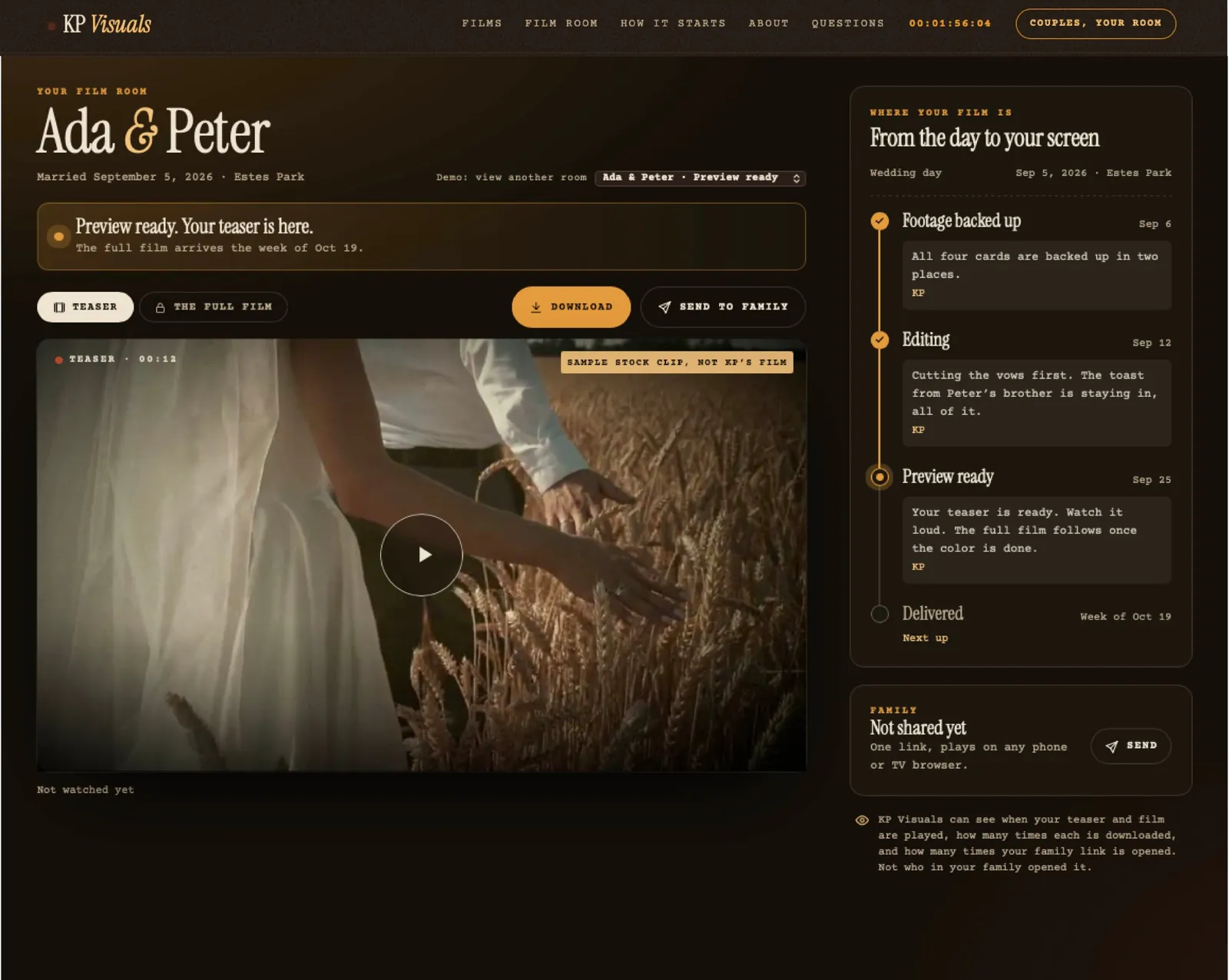
A status banner says where the film is, such as preview ready. The teaser and the full film have their own tabs, with a download button and one link to send to family. A timeline runs from footage backed up to editing, preview ready and delivered, each step with a note from the filmmaker.
Owner view
Studio Desk: every film, where it is
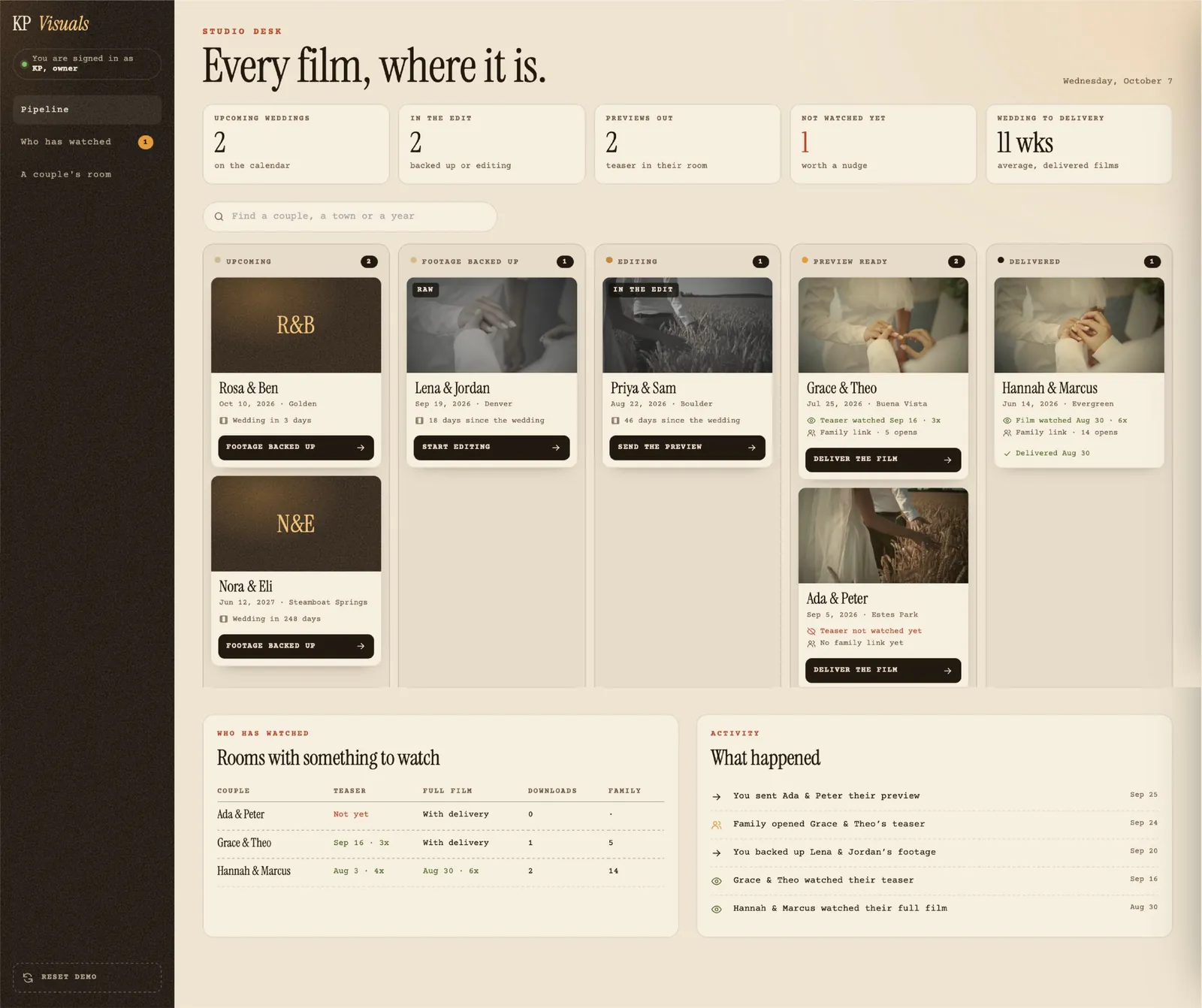
A pipeline board has five columns: Upcoming, Footage backed up, Editing, Preview ready and Delivered. Counts across the top show upcoming weddings, films in the edit, previews out, films not watched yet and the average weeks from wedding to delivery. A Who has watched table and an activity log show what happened. Tapping a couple opens their details, where the owner posts a note into their room, sets what they see as next, or moves them back one step.
More case studies
View all case studies ↗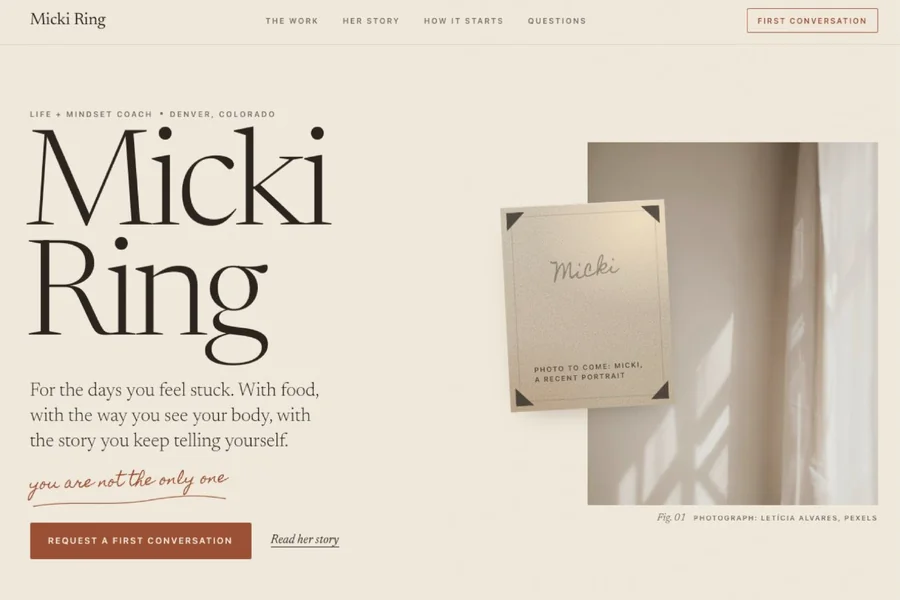
Micki Ring Life and mindset coaching site
Slate Social Management The Client Brand Room